
Download Xpeacho – AI Voice Generator, Text‑to‑Speech, Free Trial, Secure Cloud Tool
Overview
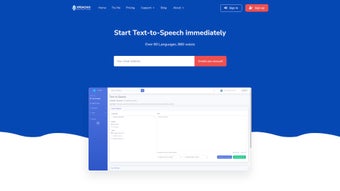
Xpeacho is an innovative, web‑based AI voice generator that transforms any written text into natural‑sounding speech. Designed with content creators in mind, Xpeacho supports more than 80 languages and provides access to an impressive library of 880 voice options, ranging from classic standard voices to cutting‑edge neural AI voices. Whether you’re producing YouTube narrations, podcast intros, audiobooks, or corporate training videos, Xpeacho gives you the flexibility to craft professional‑grade audio without hiring a voice actor. The platform’s unique TTS engine also lets you fine‑tune pronunciation of individual words and adjust speech speed, ensuring the final output matches your brand’s tone and pacing. With a clean, user‑friendly interface and continuous feature updates, Xpeacho has quickly become a go‑to tool for creators who need high‑quality audio on a tight schedule and budget.
Beyond its core conversion capabilities, Xpeacho offers a range of pricing models to suit different usage patterns. You can opt for a Pay‑As‑You‑Go plan for occasional projects, purchase bulk voice packages for larger productions, or subscribe to a monthly plan for unlimited access. Payment is simple and secure via PayPal or credit card, and a free trial is available for new users to test the service before committing. This flexible approach makes Xpeacho accessible for freelancers, small agencies, and large enterprises alike.
Features & Pricing
- Support for 80+ languages, including regional dialects.
- 880 voice options: 560 standard voices + 320 AI‑enhanced neural voices.
- Custom pronunciation editor for precise word articulation.
- Adjustable speech speed and pitch for each voice.
- Batch processing – upload multiple scripts for simultaneous conversion.
- Secure cloud storage of generated audio files with download links.
- API access for developers to integrate TTS into their own applications.
- Cross‑platform web app – works on any modern browser.
- Continuous AI model updates to improve naturalness.
- Export options: MP3, WAV, OGG, and lossless FLAC.
Pricing is deliberately transparent. The Pay‑As‑You‑Go model charges $0.015 per 1,000 characters, perfect for sporadic users who only need occasional voiceovers. For heavier workloads, Xpeacho offers voice packages starting at $29 for 100,000 characters, with volume discounts up to 30 % for multi‑million‑character purchases.
The subscription tier provides unlimited conversion for a flat $49 / month, including priority processing and premium AI voices. All plans accept PayPal and major credit cards, and the site uses SSL encryption to protect payment data. A 7‑day free trial grants access to 5,000 characters, allowing you to evaluate voice quality and workflow before spending.
Installation, Usage & Compatibility
Getting Started – No Download Required
Xpeacho is a fully cloud‑based service, so there is no traditional installation process. To begin, simply visit xpeacho.com, create a free account, and verify your email. The dashboard loads instantly in any modern browser, including Chrome, Firefox, Edge, and Safari. Because everything runs on the server side, you can access Xpeacho from any device with an internet connection – desktop, laptop, tablet, or even a smartphone.
Step‑by‑Step Workflow
- Upload or paste your text. The editor supports plain text, markdown, and rich‑text formatting.
- Select language and voice. Use the drop‑down menus to browse the 880 available voices; a preview button lets you hear a 5‑second sample.
- Fine‑tune pronunciation. Highlight any word, click “Edit Pronunciation,” and enter phonetic hints or alternative spelling.
- Set speed & pitch. Slider controls let you speed up or slow down speech by up to 30 % and adjust pitch in semitone steps.
- Generate audio. Click “Convert.” The cloud renders the file in seconds and stores it in your personal library.
- Download or share. Export the file in MP3, WAV, OGG, or FLAC, or copy a secure share link for collaborators.
Operating System Compatibility
Since Xpeacho is web‑based, it works on Windows 10/11, macOS Monterey and later, Linux distributions with a modern browser, as well as Android 8.0+ and iOS 13+. The responsive UI adapts to different screen sizes, ensuring a smooth experience on both desktop monitors and mobile devices.
For power users, Xpeacho also provides an API endpoint that returns JSON with a temporary download URL. The API is compatible with any platform that can make HTTPS requests, making integration into Windows desktop apps, macOS automation scripts, or Android/iOS mobile apps straightforward.
Pros, Cons, FAQ & Conclusion
Pros & Cons
- Pros:
- Extensive language and voice library (80+ languages, 880 voices).
- No software download – works instantly in a browser.
- Fine‑grained control over pronunciation and speech speed.
- Flexible pricing: pay‑as‑you‑go, packages, or subscription.
- Secure payments via PayPal and credit card with SSL encryption.
- API access for developers and batch processing for large projects.
- Regular AI model updates keep voice quality state‑of‑the‑art.
- Cons:
- Requires an internet connection; offline use is not possible.
- Free trial is limited to 5,000 characters, which may not be enough for lengthy demos.
- Advanced AI voices are only available on paid plans.
- Export formats are limited to audio files; no direct video integration.
Frequently Asked Questions
Can I use Xpeacho for commercial projects?
Yes. All paid plans grant a commercial license, allowing you to use generated audio in YouTube videos, podcasts, advertisements, and any other revenue‑generating content.
How does Xpeacho ensure data privacy?
All text you upload is encrypted in transit (HTTPS) and stored only for the duration needed to process the audio. Files are automatically deleted from the server after 30 days unless you manually save them to your account.
Is there a discount for educational institutions?
Xpeacho offers special pricing for schools and universities. Contact the support team with your institution’s details to receive a customized quote.
Can I integrate Xpeacho with my existing video editing workflow?
Absolutely. After generating an audio file, you can download it in MP3, WAV, OGG, or FLAC and import it directly into any video editor such as Adobe Premiere, Final Cut Pro, or DaVinci Resolve.
What is the turnaround time for large batch conversions?
Xpeacho processes batch jobs in parallel on its cloud infrastructure. Typical conversion time is under 2 seconds per 1,000 characters, so even a 1‑million‑character batch completes within a few minutes.
Conclusion – Ready to Give Your Content a Voice?
In a landscape where high‑quality audio can dramatically boost engagement, Xpeacho stands out as a secure, versatile, and cost‑effective text‑to‑speech solution. Its expansive voice catalog, real‑time pronunciation tweaks, and flexible pricing models make it suitable for everyone from hobbyist vloggers to enterprise‑level marketers. Because the service runs entirely in the cloud, you can start creating professional narrations instantly—no downloads, no complex installations, just a modern browser and an internet connection.
Take advantage of the 7‑day free trial to explore the AI voices that best match your brand, and then choose the plan that aligns with your workflow. Whether you’re producing a single podcast episode or an entire audiobook series, Xpeacho equips you with the tools to turn text into crystal‑clear speech quickly and securely. Download Xpeacho today, create your first voiceover for free, and watch your content come alive.



.png)



